Academics Notices
Dear Student,

It is her by informed to the below absentees of CTRL S that the below mentioned students not permitted to appear for further placement drives.

S NO	ID No	Name of the Student	Branch
1	B131691	VASAM ARUNA	CSE
2	B131973	NUTHI MANI KANTA SAI	CSE
3	B131157	VEMULA RAKESH KUMAR	CSE
4	B131690	ARROLLA MANICHANDANA	CSE
5	B131764	NAYAKAM PRASANNA	CSE
6	B131035	SATTE GANESH	CSE
7	B131409	DHANAKANTI VASAVI	CSE
8	B131584	PEDDOLLA SUMANJALI	CSE
9	B131269	ADEPU RAMYA	CSE
10	B131028	TUNGENA SANTHOSH	CSE
11	B131918	JUJJURU MANEESHA	CSE
12	B131897	VEMA SHIREESHA	CSE
13	B131736	JUTOOR PRAKASH	CSE
14	B131094	GANDHIGUDE MAHANANDA	CSE
15	B131159	ADAMA HARIKA REDDY	CSE
16	B131255	NASAM RENUKA SAI	CSE
17	B131197	UNDINTI SRINIVAS	CSE
18	B131060	BITLA NAVANEETHA	CSE
19	B131522	EPPAKAYALA SANDYA RANI	CSE
20	B131136	RETOJI NAGENDRA VARA PRASAD	CSE
21	B131609	JARPULA MURALI	CSE
22	B131826	BUDDA TEJA	CSE
23	B131816	PITLA NIKHITHA	ECE
24	B131056	MUDDAM VASANTHA	ECE
25	B131352	KOMALI GARA	ECE
26	B131588	MAMUNOORI SOUMYA	ECE
27	B131875	SINGARAPU SINDHU	ECE
28	B131671	SANA BHAVYASRI	ECE
29	B131276	DHARAVATH HARIKA	ECE
30	B131720	DEGALA VARSHA	ECE
31	B131682	VANGALA MANASA	ECE
32	B131486	AKULA SWETHA	ECE
33	B131020	NAZIA TABASSUM	ECE
34	B131565	ALPATLA ANWESH	ECE
35	B131306	LOKURTHI MAHESH	ECE
36	B131284	RAISA BEGUM	ECE

Sd/-

Placement Office. Schedule for EVONITH Recruitment drive
We are pleased to inform the students listed below that they are invited to participate in the Evonith Value Steels recruitment drive, as per the schedule outlined below:
Drive Date : 8th January, 2025
Time : 09:00 AM
Venue : Auditorium - SAC
Recruitment Process:
1. Pre-Placements Talk @SAC, 9:00 AM
2. Mode of test: CBT @ Test Centre, AB-III
3. Round-1: CBT Test
4. Round -2: Technical Interview
5. Round 3: Personal Interview
Important:
• Please arrive at least 10 minutes prior to the scheduled start time.
List of students:
See the Attachment.
Sd/-Download: Notice Attachment
Dear Students,

This is to inform all students that the hostel rules and regulations are attached herewith. Kindly take the time to thoroughly read through the rule book and ensure that you adhere to all the specified guidelines.

Your cooperation in following the rules and regulations is highly appreciated.

          Sd/-
  Associate Dean
 Student Welfare
Download: Notice Attachment
Dear student,

FINAL LIST OF XENOVUS SOFTWARE SOLUTIONS

                           SELECTION PROCESS:

1.	Pre-placement talk
2.	Online written test
3.	Personal interview for shortlisted students.

sd/-
placement office
Download: Notice Attachment
JOB ANNOUNCEMENT & Schedule by Jarus Technologies

It is hereby informed to the aspirants of Jarus Technologies that the Jarus Technologies would like to conduct campus recruitment drive for Engineering Graduates (B. Tech-CSE/ECE & M. Tech – CSE discipline only) 2019 class students, on 4th October 2018. The following is the detailed notification.
Interested students are required to register in the following link by 27th September 2018 by 2PM.

Registration Link: http://hub.rgukt.ac.in/hub/tnp/register

Eligibility Criterion:

Description	Criterion

Engineering Streams	B.Tech-CSE/ECE & M.Tech-CSE
Job Designation	Software Engineer
Job Description	Developer
Year of pass	2019
Place of Posting	Hyderabad
Internship	6 months
CTC	3.5 LPA


Process of selection:

 	Technical Test (Written).
 	Interview: Personal & Technical.


Sd/-
T & P Office
Download: Notice Attachment
Dear Students,

Please find the attachment for General Secretary and Secretaries for different Sports & Games Selection Notice.

Sd/-
N. Rakesh
Convener, Sports&Games
Download: Notice Attachment
Please find the attachment for results.Download: Notice Attachment
Dear Students,
Please find the attachment.

Sd/-
Academic Section
Download: Notice Attachment
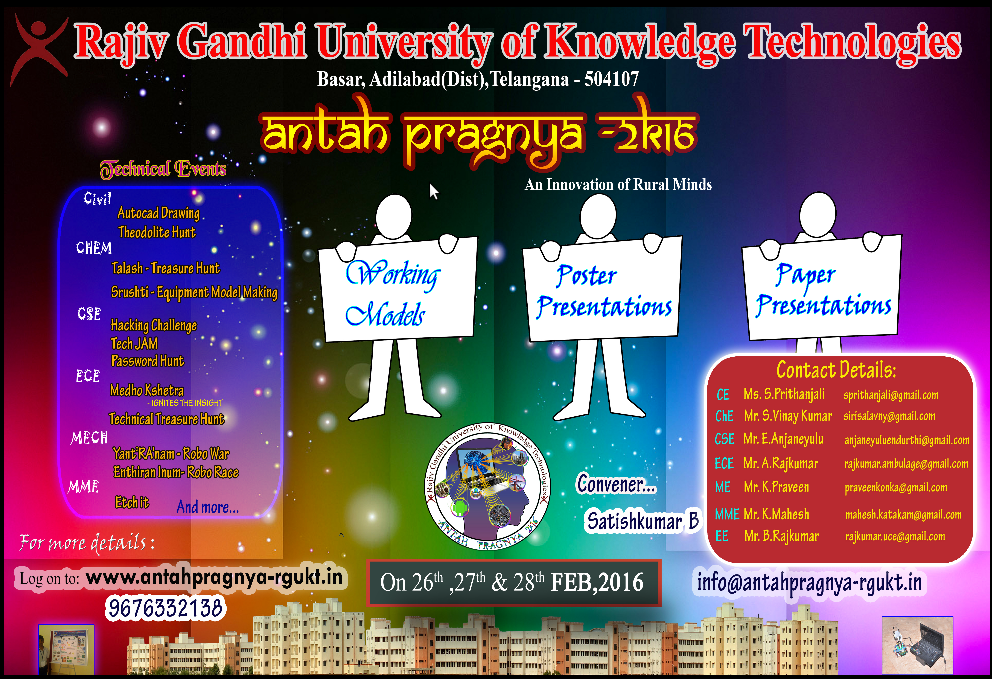
ANTAH PRAGNYA 2k16 PosterDownload: Notice Attachment
Dear Student,


Teach for India recruitment drive is scheduled on 30-1-17(i.e. today) at AB-I Auditorium at 11:30AM.

sd/-
Placement cellDear Students
The following list of shortlisted students for further rounds of Skype interviews of Tvisha Technologies Pvt. Ltd. And this interview is scheduled for 19th March 2018, 10.00am at New Placement Office.
List of Students shortlisted for Tvisha Technologies Pvt. Ltd.
Sl Student_Id Name of the Student Branch
1 B121241 KALALI NARESH GOUD Electronics & Communications Engineering
2 B121638 DHARRA SINDHUJA Electronics & Communications Engineering
3 B121876 ODDEPALLY RAJENDAR Computer Science & Engineering
4 B121569 SUGURTHI SATHISH KUMAR Computer Science & Engineering
5 B111277 SHINGARAPU RAJASHEKAR Computer Science & Engineering
6 B121591 DABLIKAR BHAVANA Electronics & Communications Engineering
7 B121608 PAYYAVULA VIKRAM Electronics & Communications Engineering
8 B121633 AKKENAPALLI YASHWANTH Computer Science & Engineering
9 B121797 BURLA SUMALATHA Electronics & Communications Engineering
10 B121242 JANGAM SRIVIDYA Computer Science & Engineering
11 B121352 KOTHAPALLY UPENDRA Electronics & Communications Engineering
12 B121784 KONDA NAVYA Electronics & Communications Engineering
13 B121114 ITHARAJU LINGASWAMY Electronics & Communications Engineering
14 B121568 AERPULA SWARNALATHA Electronics & Communications Engineering
15 B121582 GOTTIMUKKULA BHAGAVAN Computer Science & Engineering
16 B121745 PANNALA AJAY REDDY Electronics & Communications Engineering
17 B121561 SHAIK MUNNI Electronics & Communications Engineering
18 B121910 KARUDANDU JYOTHI Electronics & Communications Engineering
19 B121953 P SURENDHAR Electronics & Communications Engineering
Sd/-
Training and Placement OfficeDownload: Notice Attachment
Dear Students,

Engineering Drawing exam for Ay24-25 E1 Sem2 for ECE (Regular and Remedial) is scheduled on 03-05-2025 from 9 am -12 pm for C1 and C2 classes and from 2 pm-5 pm for C3 and C4 classes in Civil Engineering Drawing hallDear Students,
It is hereby informed that E-1 students can take books on loan at the Central Library during the following dates and timings:
Please make sure to bring your student ID.
Dates: 26-09-2024 to 28-09-2024
Timings : 10:00 A.M to 1:00 P.M and 2:00 P.M to 5:00 P.MDear Students,
A. Y. 2024-25-E2&E3-S1 Lab External Exam are scheduled from 6th-9th January 2025.
Kindly go through the attachment for the complete details.
Thank youDownload: Notice Attachment
All the registered participants are informed to attend the program without fail at the Conference hall in Old block by 9 AM.
Note: program Schedule attached with this Notice
Download: Notice Attachment
It is informed to all the students of EEE Dept. ( AB II -113, 202, 112, 201, 103 classes only) that they can collect their mobile phones from Student Welfare Office today ( 02-03-2020) 5 PM to 6 PM.
Dear Students,

All M.Tech Students need to report immediately to Placement Office AB-3.


sd/-
Placement officeKindly find the updated Exrrn Lab Exam Schedule of Civil Engineering
Ignore the previous notice Download: Notice Attachment